
Assets
By John Hardy
January 11, 2026 | Series: contentstore
An article rarely stands on text alone. Screenshots and diagrams sit beside photos and small media files in the same unit of work as the writing they support, and I keep them together for that reason. In this system those files live beside the article that references them so each entry stays complete and portable. A typical article folder looks like this:
content/blog/2026/01/11/03-assets/
  article.md
  assets/
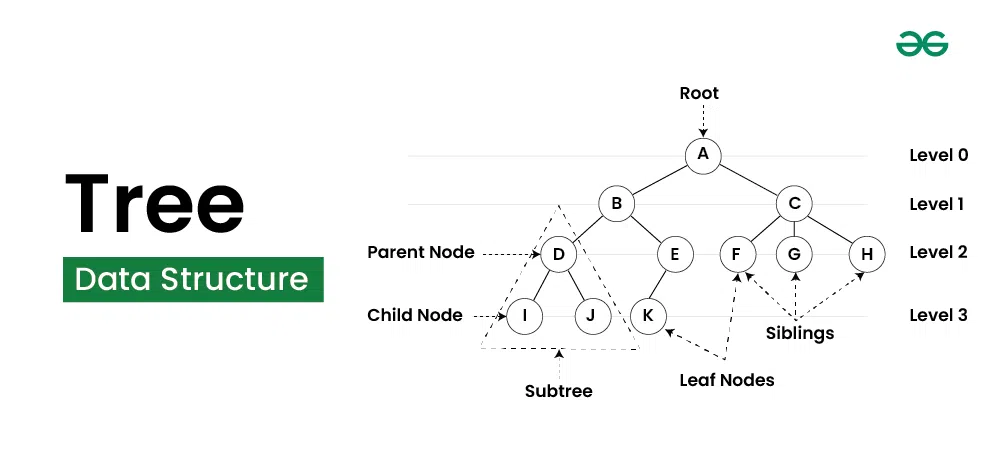
    tree-structure.webp
    hero.jpg
article.md holds the writing and the assets/ folder holds the attachments. There is no shared media pool and no global upload directory, so each article carries its own supporting files. That choice keeps the archive legible on disk and makes it obvious which files belong to which entry.
A cloned copy stays complete because each article carries its own attachments.
The Markdown body names assets by relative path, and the build resolves those paths to absolute URLs anchored to the article permalink. The source stays clean, and the output stays stable. That keeps links predictable when the archive grows. It also keeps review simple because the path stays visible in the prose.
Because the image sits next to the file that references it, the source stays stable when the folder moves or the repository gets cloned. The build converts that source path into a permalink-safe URL so the same image works whether the article appears on its own page or inside an index. That behaviour makes it safe to reorganise the archive without breaking links.
Images serve different roles across the site, and some get promoted into indexes as thumbnails while others appear inline as diagrams or screenshots. That distinction comes from frontmatter and templates, and the Markdown only names the file. The writing stays focused on content while the presentation stays elsewhere. I can change that presentation later without touching the text.
The same approach applies to any other asset, including animated images and small videos as well as data files or reference PDFs. The build copies the assets/ folder into the output tree and preserves the on-disk structure while emitting absolute URLs in rendered HTML. That keeps the output predictable and the source portable.
Nothing in the article body needs to know how the site will present an image because it only names a file. The template decides whether that file becomes responsive or lazy-loaded, and how it gets styled for the page. That keeps the body light while the layout carries the polish.
That boundary keeps the writing stable, so I can edit a paragraph or add a code block without worrying about the rest of the system even when I drop in a diagram. The file remains text with attachments and the build system turns it into a page. The body stays clean because it has to, and it is the place where all of this meets a human reader.
Tags: assets